Realistic Ragdoll MMA Ragdoll Physics: How Every Hit Lands
See how Realistic Ragdoll MMA ragdoll physics shape every punch, kick, takedown and flying knee, plus controls, styles and tips to win more cage fights.
Jump to

Why the Physics Decide Your Fights
Unlike traditional Roblox fighters, this one is built around momentum, hitbox timing and bodies that react to every impact. Realistic Ragdoll MMA ragdoll physics mean one clean knee or hook can drop a fighter flat and flip a round you were losing. If you understand how momentum, timing and damage work here, you'll stop swinging wildly and start finishing fights.
Characters react to the weight behind each strike. A landed hit breaks your opponent's stance and dazes them, which gives you a short window to close in and chain more shots. The same rules apply to you. Throw a sloppy combination and you're wide open for a counter, especially against Hard-difficulty AI and experienced PvP players.
- Momentum matters. Characters react dynamically to force, so a clean strike or knee can send an opponent flat on the mat. Save the flying knee for when your opponent is airborne or running away.
- Stance breaks are your openings. Watch how your rival's body reacts after a hit, then follow up right away.
- Distance is defense. Standing too close makes you easy to counter. Hold a middle range, and let kicks do the work when you're farther out.
Controls for Striking and Defense
The game plays in first person, and you aim with the mouse. Point at the head for head shots and at the legs for leg kicks. Here are the PC bindings:
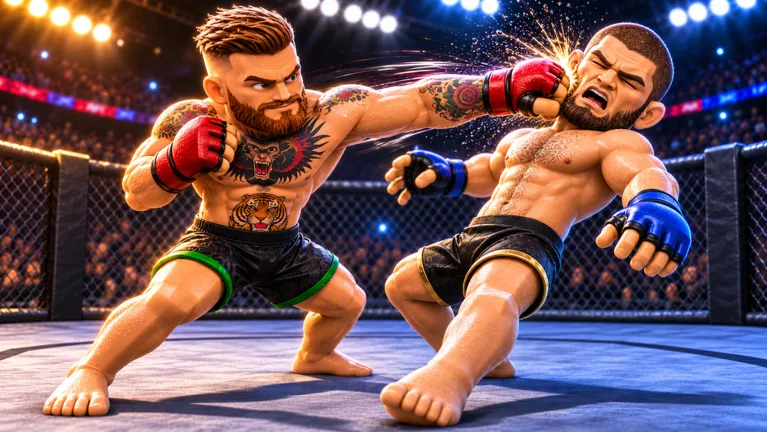 Image: Roblox / Ultimate Champion
| Action | Input |
|---|---|
| Movement | WASD |
| Aim | Mouse |
| Jab | Left Click |
| Cross | Right Click |
| Left / right hook | Q / E |
| Lead / rear kick | R / T |
| Oblique kick | R at the knee |
| Flying knee | Space |
| Block / check kicks | Hold Left Shift |
| Slip / duck | F + A or D |
| Takedown | G, then spam Space |
| Sprawl / get up / hold down | Spam Space |
| Ground positions and submissions | 1, 2, 3, 4 |
Time your F press just before a punch lands to slip it. Holding Shift also checks incoming kicks, so don't eat leg kicks for free. Controller and mobile are supported too, and controller is often called the easiest way to play.
Use the flying knee and takedowns as your main finishing tools. Both can end fights quickly in Career and Versus.
Stamina, Blood and Visible Damage
There's a stamina bar, and it drains fast if you spam strikes or wrestle nonstop. Step back and recover between flurries instead of emptying the tank in the first minute.
Damage shows up right on the fighter's body. Faces bleed and bruise as a fight goes on. Blood ends up on gloves, and your own camera gets battered when you're badly hurt. Your injuries also show in a panel on the right side of the screen, with a red head telling you you're in trouble.
- When your head turns red, stop trading and focus on dodging or tying your opponent up.
- Watch the significant strike count during a fight so you know who's landing more.
Grappling: Takedowns to Submissions
Grappling has its own full sequence, from the shot all the way to the finish:
- Get close and press G to shoot.
- Spam Space to drive your opponent to the mat.
- Press 1 to move to side control.
- Press 1 again to climb into full mount.
- Strike from the top for ground and pound.
- Take the back and finish with a choke.
On defense, spam Space to sprawl when someone shoots on you, or to get back up if you're taken down. Opponents will try to roll you from bottom, so keep spamming to hold position. Elbows from side control can also finish a fight outright.
Styles and Spins
Your fighter's Style sets their strengths. Each one is graded in Striking, Power, Speed, Experience, Kicks, Wrestling, Takedown, Ground, Subs and Chin, so read the grades before you build a game plan around one. A Stone Hands roll, for example, is a power-punching orthodox kickboxer. Lean on hooks with that one, not wrestling.
You earn Normal Spins by winning bouts. Lucky Spins cost Robux and give better odds at Legendary, Godly or Secret rarity. If you haven't landed a Secret Style by your 100th spin, the pity system guarantees one.
| Rarity | Styles |
|---|---|
| Rare | Boxer, Wrestler, Muay Thai, Kickboxer, Brawler, Grappler |
| Legendary | Power Puncher, Slugger, Philly Shell, The Dragon, One Punch |
| Godly | The Eagle, The Sniper, El Topturo, The Veteran, Stone Hands |
| Secret | Black Belt, The Notable, The Ruffian, Iron Knuckles |
| Unique | Taekwondo Master |
Modes and Customization
- Career Mode: Build a fighter and climb the roster against AI until you face the division champion for the belt. Normal is always open. Hard unlocks after 30 wins.
- Player vs Player: Pick 3 or 5 rounds, then hit Invite next to another player's name. They get 10 seconds to accept. Your PvP record is separate from Career, and other players see it when you challenge them.
- Customization: Change skin tone, attire, hair, face, gloves and even height.
Game Facts and Upcoming Updates
You can jump in on the official Realistic Ragdoll MMA Roblox page. Here's the game at a glance:
- Developed by the Ultimate Champion group, which has 131,258 members
- Created on Roblox on November 5, 2026, and it already has 13,605,788 visits and 36,429 favorites
- Up to 10 players per server
- Supports PC, controller and mobile
- The Ranked Mode event runs November 14–20, so climb now if you want a shot at champion
- Update 2 is scheduled for November 21–28, bringing new gamemodes and new styles
FAQ
Is Realistic Ragdoll MMA free to play?
Yes. It's free, with optional Robux purchases such as Lucky Spins.
Are there any codes?
No, the game has no codes and no redemption system right now. Follow the official Roblox page and the Ultimate Champion group for any future drops.
How do I unlock Hard Career mode?
Win 30 matches.
Continue with
 Realistic Ragdoll MMA Features Guide: Controls and CombatOur Realistic Ragdoll MMA features guide covers controls, flying knees, takedowns, stamina, fighter customization, and ranked unlocks. Step into the cage.
More in Features

Realistic Ragdoll MMA Impossible Mode: How to Beat It
Struggling with Realistic Ragdoll MMA impossible difficulty? Learn what the maxed-out AI does, which styles help, and how to train up to finally beat it.
Realistic Ragdoll MMA Online: How PvP and Ranked Work
Realistic Ragdoll MMA online play explained: how lobby challenges work, how to unlock ranked with 30 wins, plus controls, stamina, and grappling tips.
Continue exploring
Realistic Ragdoll MMA Combat Guide: Controls, Combos, Tips
Master Realistic Ragdoll MMA with this combat guide covering key bindings, takedowns, armbars, flying knees and stamina tips to win fights and hit ranked.
Realistic Ragdoll MMA Update Log: Ranked Mode & Update 2
Follow the Realistic Ragdoll MMA update log: launch details, the Ranked Mode event, what Update 2 brings on November 21, and how to prepare your fighter.
Join the community
Official channels for news, updates and player help: