Realistic Ragdoll MMA Controls: Every Key and Ground Move
Learn the Realistic Ragdoll MMA controls on PC, from jabs and flying knees to takedowns, ground positions, blocking, and how to rebind keys in settings.
Jump to
Learn the Keys Before You Step Into the Cage
New fighters tend to lose their first matches the same way: they mash buttons until the stamina bar runs dry, then get dropped by one clean counter. Knowing the Realistic Ragdoll MMA controls well enough to throw deliberate strikes instead of panicked ones is the first step out of that trap. This game rewards timing far more than click speed, and every strike, takedown, and escape runs through a handful of keys you need to hit without thinking.
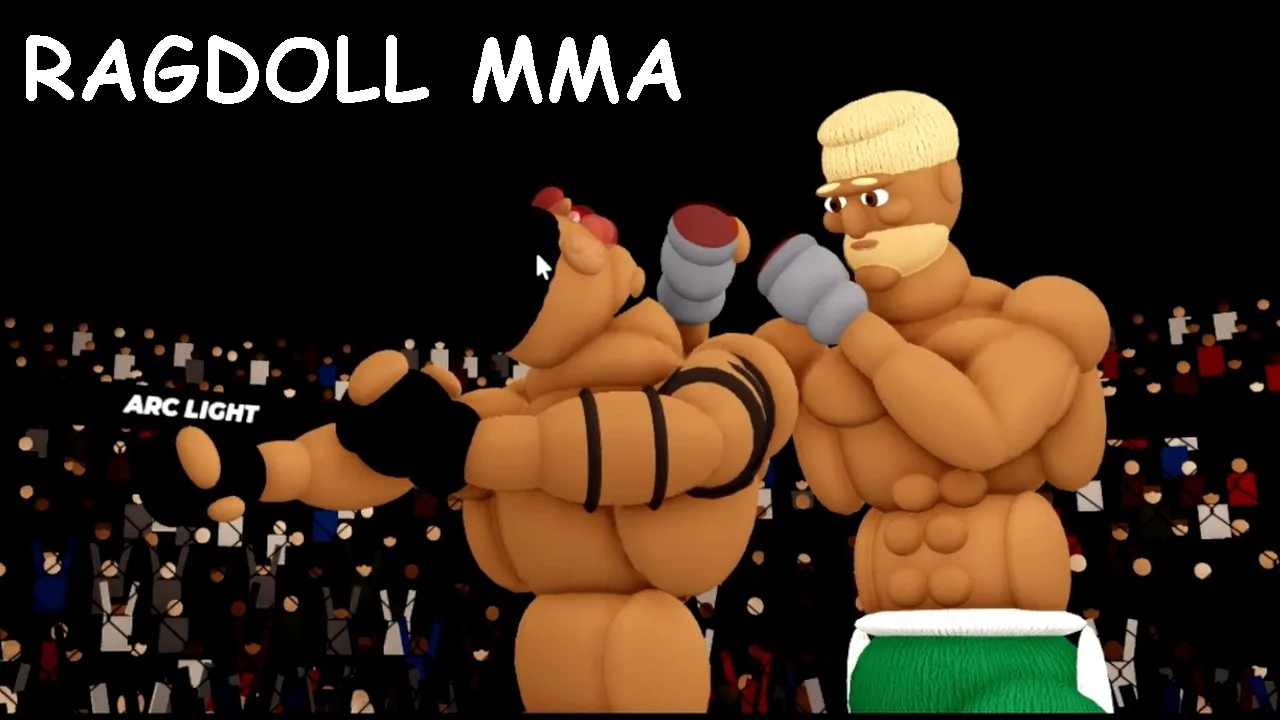
Realistic Ragdoll MMA is Ultimate Champion's physics-based cage fighter on Roblox. It launched on November 5, 2026, supports PC, controller, and mobile, and holds up to 10 players per server. The layout below covers the default PC binds. Controller and touch players should check their own tab in Settings, covered further down.
Default PC Striking and Defense Controls
The game is played in first person, and your strikes follow your aim. Point at the head to hunt for damage, or drop your aim to go to the body.
| Action | PC Input |
|---|---|
| Jab | Left click |
| Cross | Right click |
| Left / right hook | Q / E |
| Kicks (including leg and oblique kicks) | R / T |
| Flying knee | Space while moving forward |
| Block | Hold Left Shift |
| Slip, duck, weave | F with A / D |
| Takedown | G |
| Drive down, hold down, get up | Spam Space |
| Ground positions and submissions | 1, 2, 3, 4 |
A few notes that make these keys work better in a real fight:
- Jab and cross start almost every exchange. Use the jab to find your range, then follow with the cross as your power hand.
- Hooks on Q and E do serious damage. Some styles lean on them heavily, so a single clean left hook can end a fight against weaker opponents.
- Kicks on R and T cover low kicks and head kicks. Mix leg kicks in to slow down a fighter who keeps charging forward.
- The flying knee on Space is the highest-risk move in your kit. It works as an opener, a gap-closer, and a finisher on a hurt opponent, but a whiff burns stamina and leaves you open.
- The dodge on F is about timing. Press it just before a punch lands to slip it, and steer the slip or duck with A and D. If you can read an opponent's telegraphed shots, use it instead of just holding block.
Stamina: The Bar That Decides Every Exchange
Every swing drains your stamina bar, and takedowns cost even more. Once it runs dry, your fighter turns sluggish, your punches barely land, and one counter can drop you.
- Throw short bursts of two or three strikes, then step out of range.
- Stand still when you need stamina back, since that's the quickest way to recover.
- Back off and hold Left Shift when you're gassed instead of trading blindly.
- Watch your opponent's pace. If they've been swinging wildly, that's your window for a flying knee or a takedown.
Takedowns and Ground Fighting Controls
Grappling is where the controls get deep, and a strong ground game can carry you through fights against tough strikers.
Getting the Fight to the Mat
Close the distance and press G to shoot. Then spam Space to drive your opponent down and keep them pinned. Shoot when your opponent is low on stamina or already hurt. A takedown from too far away, or with an empty tank, just wastes energy.
Advancing Position With the Number Keys
Once you're on top, the number keys 1–4 select positions and submissions. Pressing 1 walks you up the ladder, moving from half guard to side control to full mount. From there you can take the back, rain down ground and pound with your punch buttons, or throw elbows.
The submission options include the armbar, kimura, Americana, triangle choke, arm triangle choke, and rear naked choke. Expect good opponents to block these. If one stalls, transition to a different finish or go back to ground and pound.
Escaping When You're on Bottom
When someone takes you down, spam Space to fight back to your feet or reverse the position. Escapes are a pure mashing contest, so get used to hammering that key fast. Holding top position also matters on the scorecards. Fights that go the distance are judged, and ground control time and takedowns show up in the stats.
How to Change Controls, Keybinds, and Sensitivity
To rebind keys, open Settings from the bottom-left corner of the screen. You'll find separate tabs for each input type:
- Keyboard and mouse: pick Change Controls, click any action (like left or right click), and assign a new key. Use Reset to Default to undo everything.
- Controller: options include block, look speed, invert look, and button names.
- Touch: adjust button size and the on-screen layout for mobile.
Turn up your mouse sensitivity if you keep losing track of your opponent. In first person, a low setting makes it hard to keep your crosshair on a fighter who circles you, and you'll whiff strikes you should land.
Practice the Controls Before Ranked
The in-game How to Play tutorial walks you through striking and grappling step by step. It covers the jab, cross, three-punch combos, kicks, the flying knee, blocking, dodging, and a full takedown-to-submission sequence. Run through it once, then drill against the AI difficulties (Easy, Medium, Hard, and Legend) until the ground keys feel natural.
Ranked play stays locked until you've stacked up wins, so use the AI ladder and player-versus-player matches to build the muscle memory you'll need against a real opponent.
FAQ
How do you block in Realistic Ragdoll MMA?
Hold Left Shift to raise your guard. For active defense, press F just before a punch lands, and use A or D to slip or duck.
How do you do a flying knee?
Press Space while moving forward. Save it for an opponent who is hurt, gassed, or backing up, because a miss leaves you exposed.
Why do I have to spam Space so much?
Space handles every grappling scramble. You spam it to drive an opponent down after a takedown, to keep them pinned, and to escape or stand back up when you're on the bottom.
Can I play with a controller or on mobile?
Yes. The game supports PC, controller, and mobile. Each one has its own tab in Settings, where you can adjust options like look speed or on-screen button size and layout.
Continue exploring
Realistic Ragdoll MMA Online: How PvP and Ranked Work
Realistic Ragdoll MMA online play explained: how lobby challenges work, how to unlock ranked with 30 wins, plus controls, stamina, and grappling tips.
Realistic Ragdoll MMA Codes (November 2026): Status & Tips
No Realistic Ragdoll MMA codes are live yet. See where future codes will drop, which code belongs to another game, and how to get spins and win fights.
Join the community
Official channels for news, updates and player help: